Cloudsync – Cloud Storage Management Dashboard Figma Template



About the Product
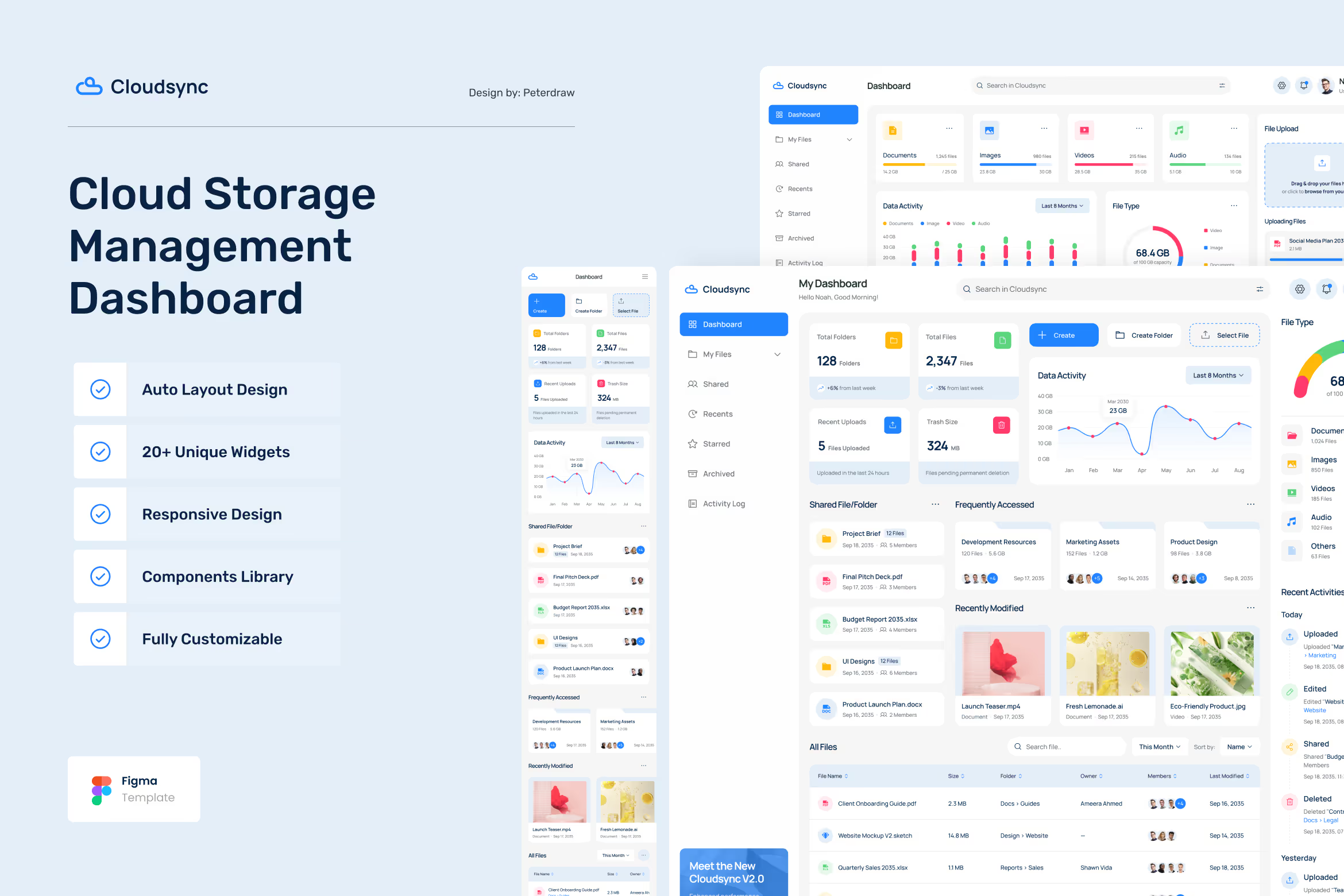
Take control of your digital workspace with Cloudsync, a complete cloud storage management dashboard UI kit tailored for today’s teams and individuals. Built in Figma and fully responsive across desktop, tablet, and mobile devices, this dashboard template empowers users to upload, organize, track, and collaborate on files, all from a centralized and beautifully structured platform. With an intuitive interface and 14 professionally crafted pages, it ensures your focus stays on productivity, not searching for files.
Design Layout & Style
Cloudsync merges functionality with elegance, offering a clean, data-driven interface that makes managing cloud files effortless.
- Minimal, File-Centric UI: Clear components, soft shadows, and structured layouts for precise data display.
- Category-Based Navigation: Sort files by type, with progress and storage indicators.
- Fully Responsive: Layouts adapt across devices for a seamless experience anywhere.
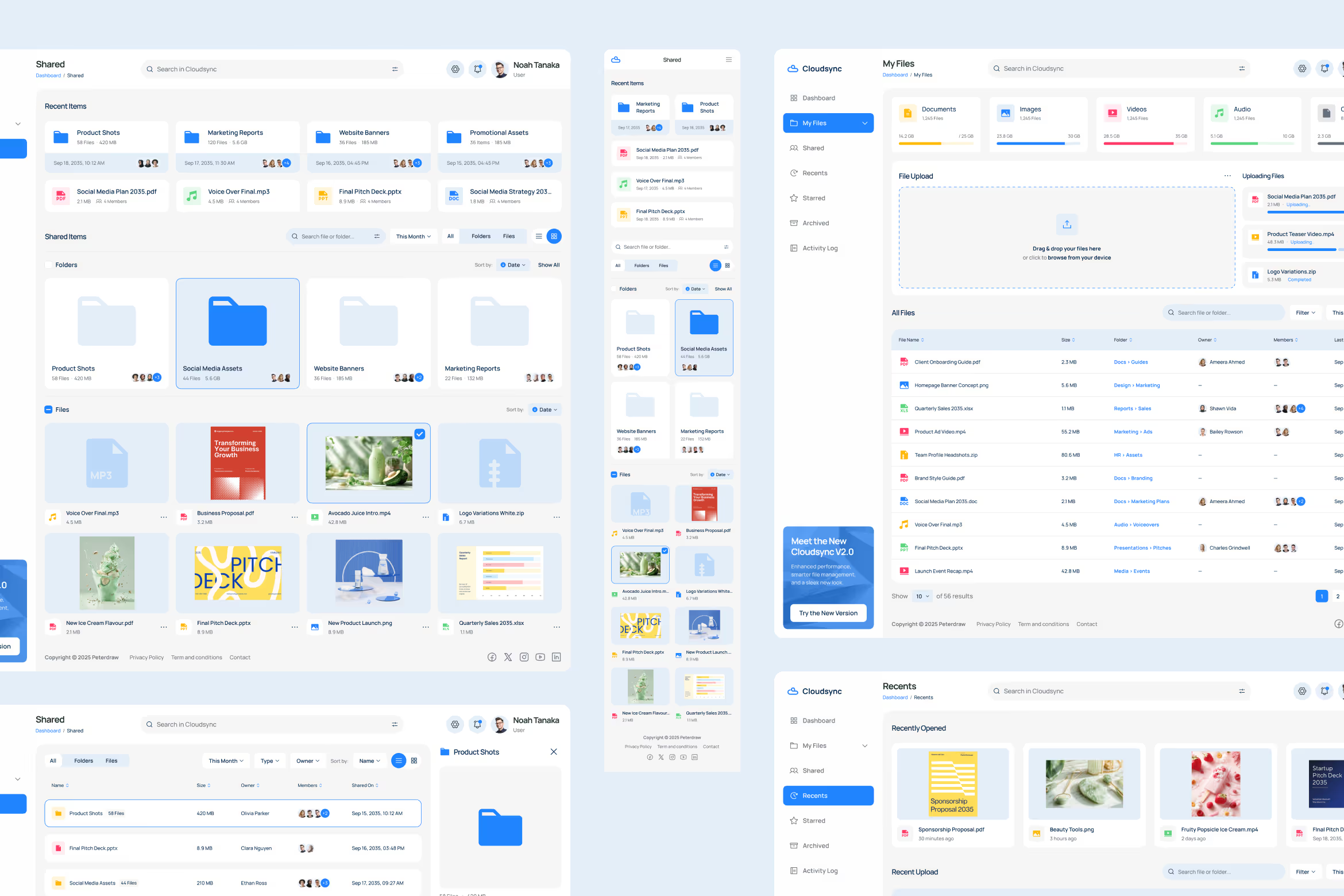
- Dynamic File Views: Switch between table and grid layouts for All Files, Shared, and Recents, giving flexibility to match your workflow.
- Detailed Activity Log: Every upload, edit, delete, and share is logged for transparent collaboration and accountability.
- Modern Typography & Icons: Professional font pairings and crisp icons give Cloudsync a sleek, forward-looking aesthetic.
Ideal for
Designed for professionals, teams, and businesses, Cloudsync is the ultimate digital solution for organizing, storing, and collaborating on files with confidence.
- Creative Agencies managing large asset libraries and shared projects.
- Businesses storing reports, contracts, and proposals in one accessible hub.
- Startups & SMEs needing a reliable platform to collaborate on files in real-time.
- Remote Teams working across devices and locations, requiring centralized access.
- Product Teams & Designers building SaaS tools or productivity platforms.
Key Value Propositions
More than just a storage template, Cloudsync delivers a complete UI solution to optimize your file management and collaboration flow.
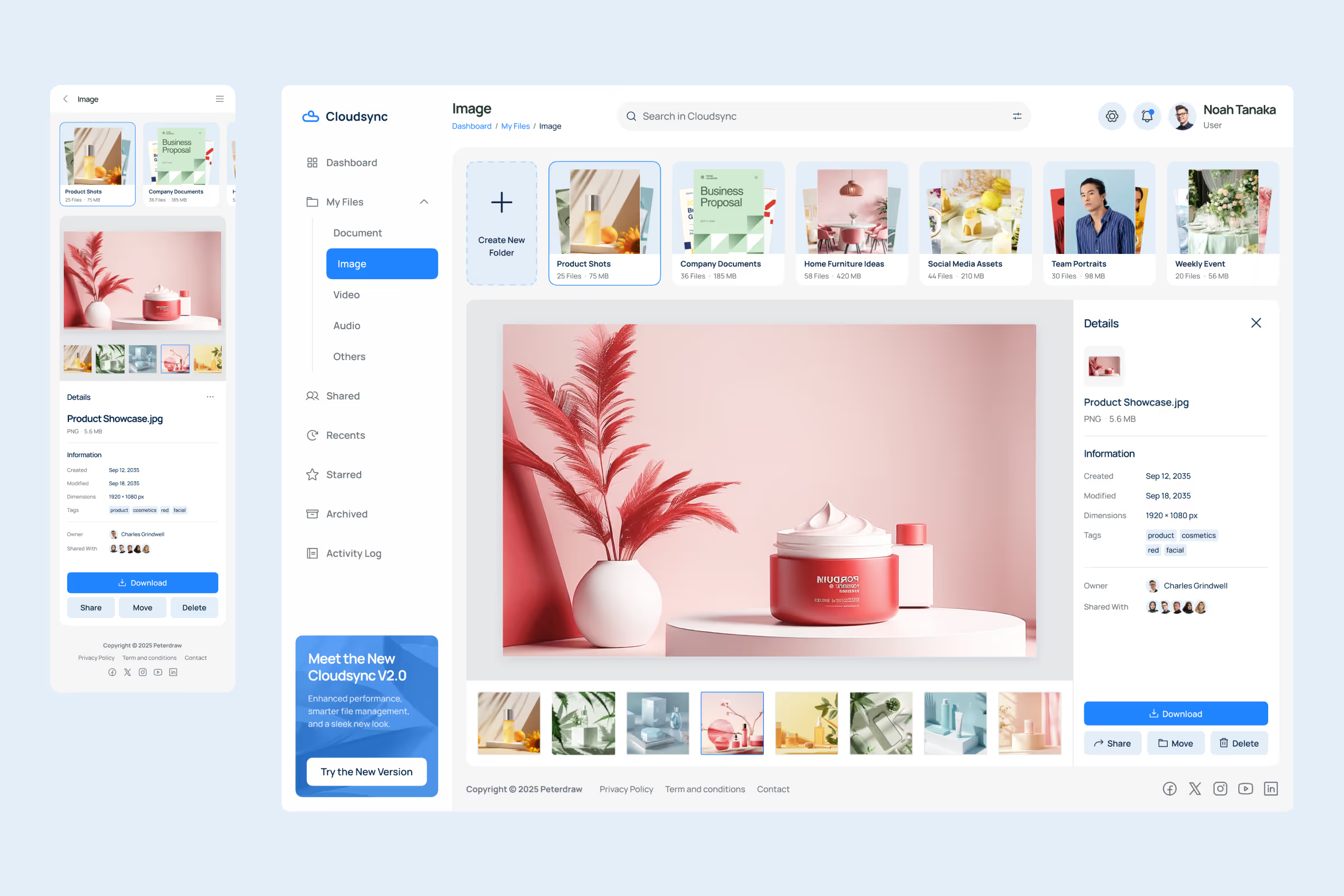
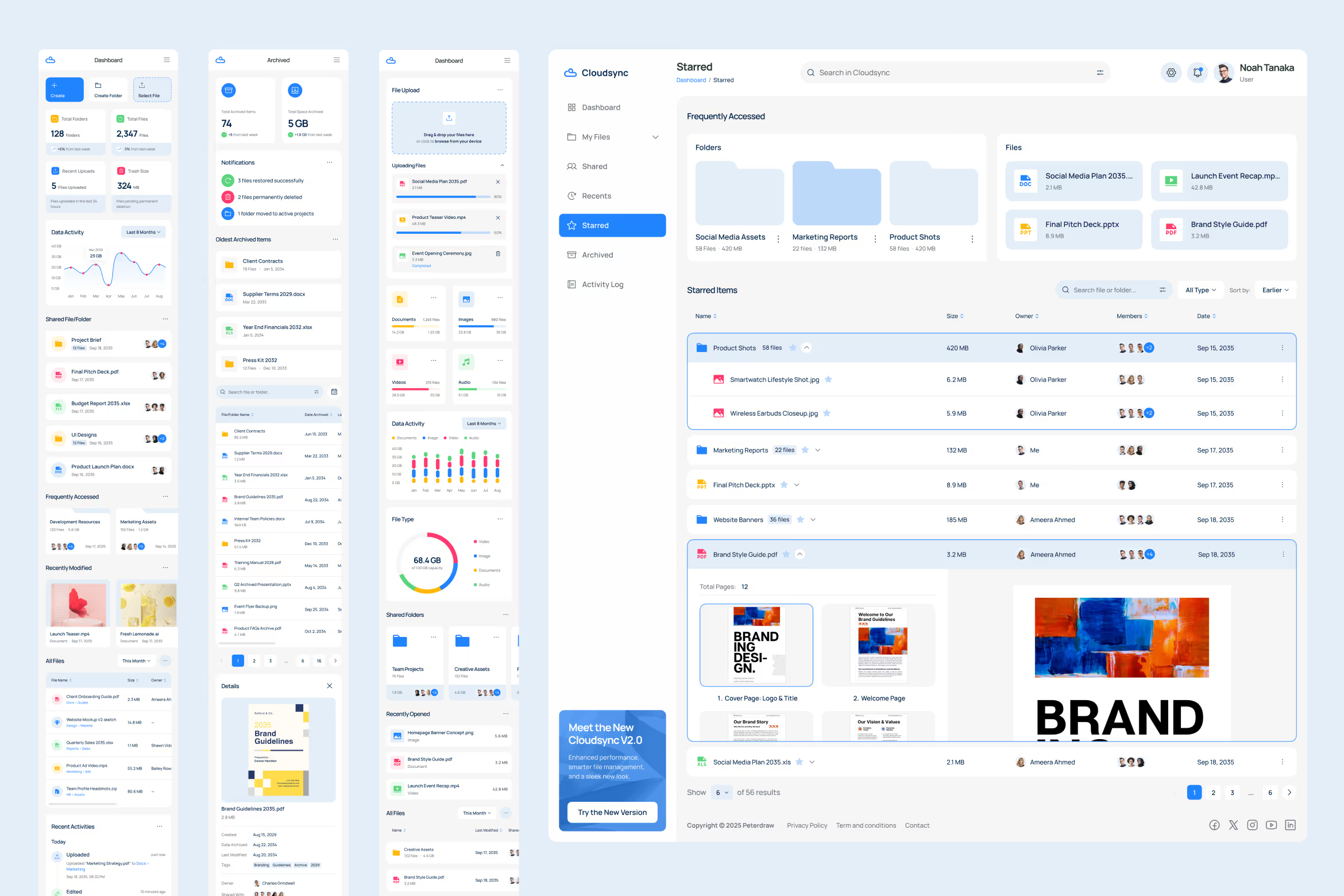
- 14 Core Pages: Includes desktop v1 & v2, All Files (grid & table), Categories, Shared (list & grid), Recents (table & grid), Starred, Archived, Activity Log, Sign Up, and Login.
- All-in-One File Hub: Manage uploads, folders, shared projects, and archives from one place.
- Real-Time Activity Tracking: Monitor every action—uploads, renames, shares, and deletes—for improved transparency.
- Multiple Layout Options: Toggle between grid and table formats to view files your way.
- Collaboration Tools: Shared files display avatars for quick visibility into who has access.
- Responsive, Scalable Design: Built with adaptability in mind for desktop, tablet, and mobile.
- Streamlined Onboarding: Login and registration pages are ready to integrate into SaaS flows.
Why Cloudsync is Built for Smarter File Management
Cloudsync is designed to make digital storage and collaboration smarter, faster, and more reliable.
- Centralized, Scalable System: Perfect for both individuals and large teams, expandable as your storage grows.
- Real-World File Use Cases: Built for daily workflows like uploading, archiving, restoring, and sharing files.
- Accelerate Development: Comes with global styles, organized components, and responsive layouts for efficient handoff.
- Enhanced Collaboration: Transparent activity logs and shared access improve teamwork and accountability.
- Future-Ready Design: A flexible structure that adapts to new storage features or integrated services.
Let Cloudsync be the control center for your digital workspace, because managing files should feel effortless, not overwhelming.
Pages:
- Dashboard v1
- Dashboard v2
- All Files (Table)
- All Files (Grid)
- Categories
- Shared (List)
- Shared (Grid)
- Recent (Table)
- Recent (Grid)
- Starred
- Archived
- Activity Log
- Sign Up
- Login
Features:
- Desktop, Tablet & Mobile Views
- Built with Figma
- Organized Layers & Components
- Responsive Layouts
- Global Typography & Color Styles
- Modern, Professional UI
- Easy to Customize
- Fully Editable Vectors & Icons
- Layouts: 1440px (desktop), 800px (tablet), 390px (mobile)
- Free Google Fonts Used
Please Note
All images are just used for preview purposes only and NOT included in the main files.
Product Specs