PickEat – Food Retail & E-Commerce Website UI Figma Template
About the Product
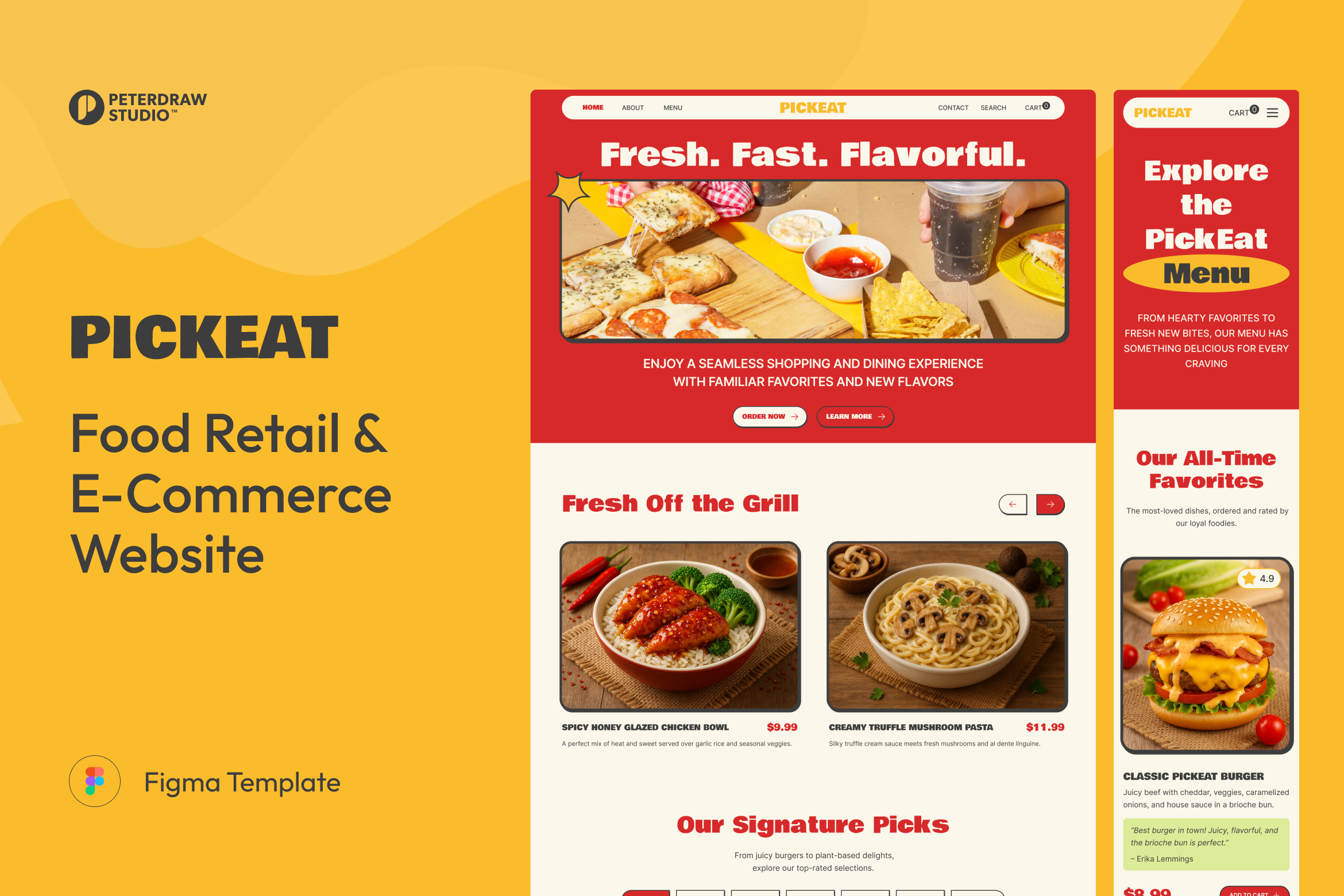
Bring your food brand online with PickEat, a bold and appetizing Food Retail & E-Commerce Website UI template designed in Figma. Built for restaurants, cafés, quick-service concepts, and modern food retailers, it helps you showcase best sellers, highlight promotions, and guide customers from browsing to ordering with a smooth, conversion-friendly flow. The design feels energetic and friendly, with strong visuals and clear content hierarchy that make every dish easy to discover.
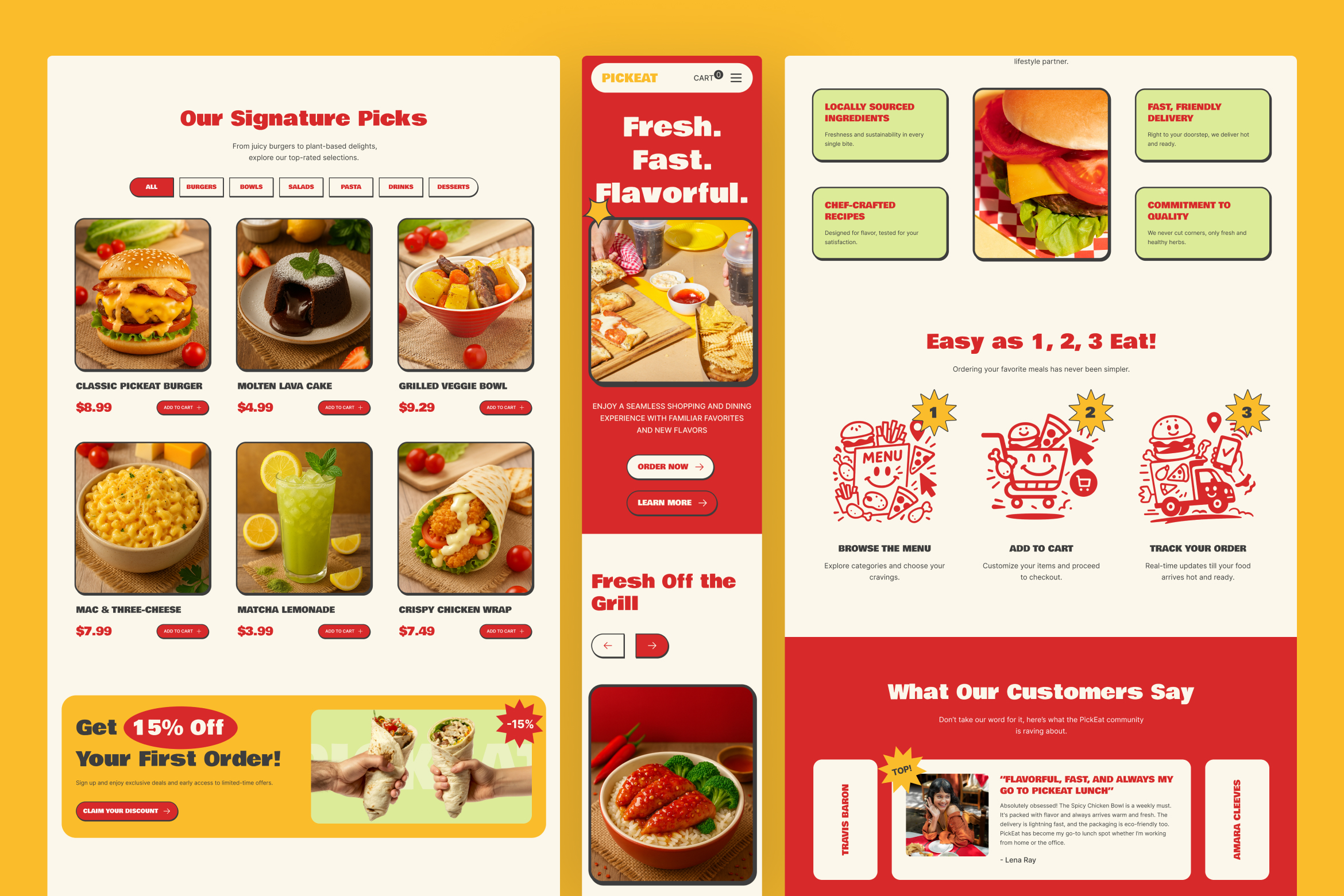
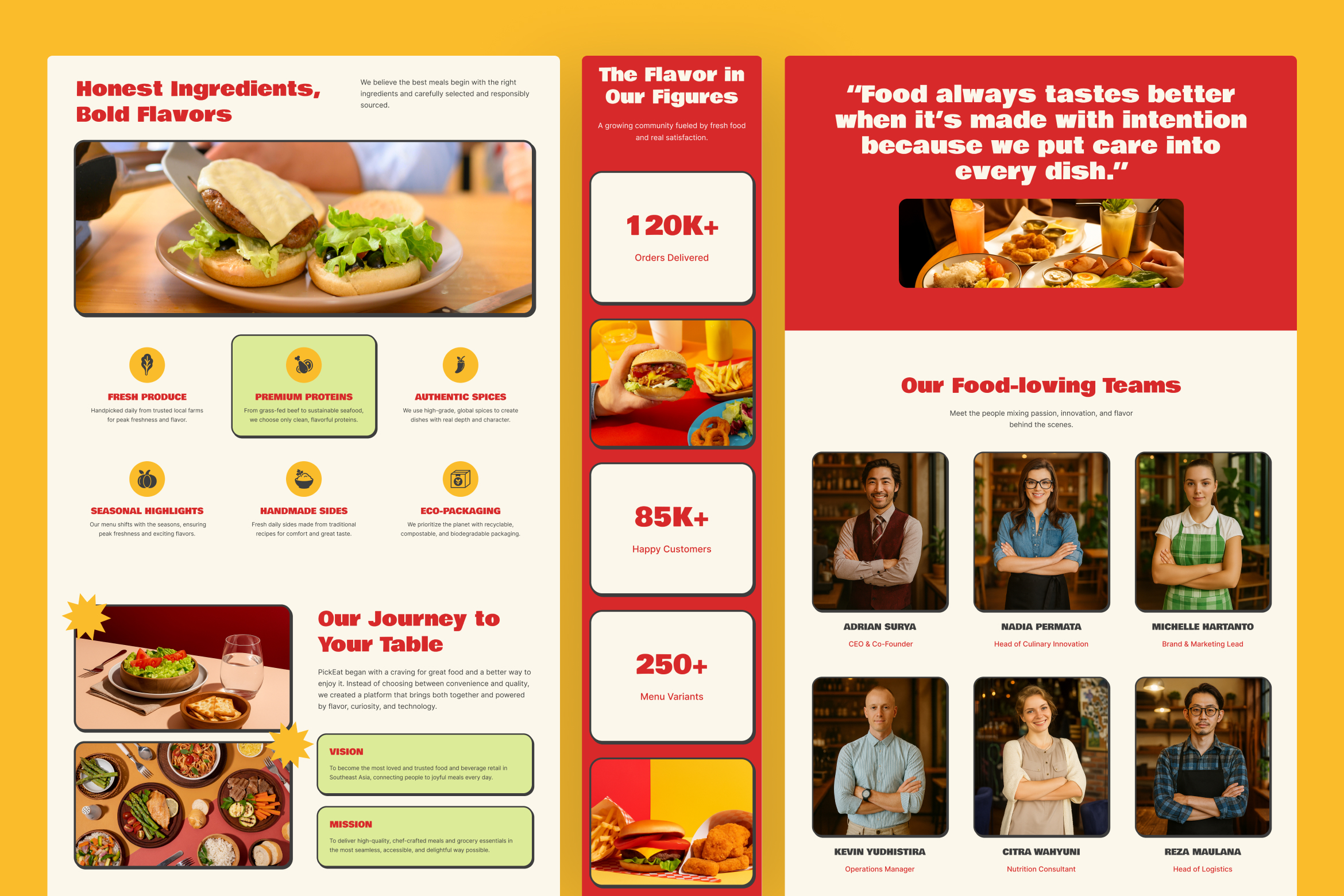
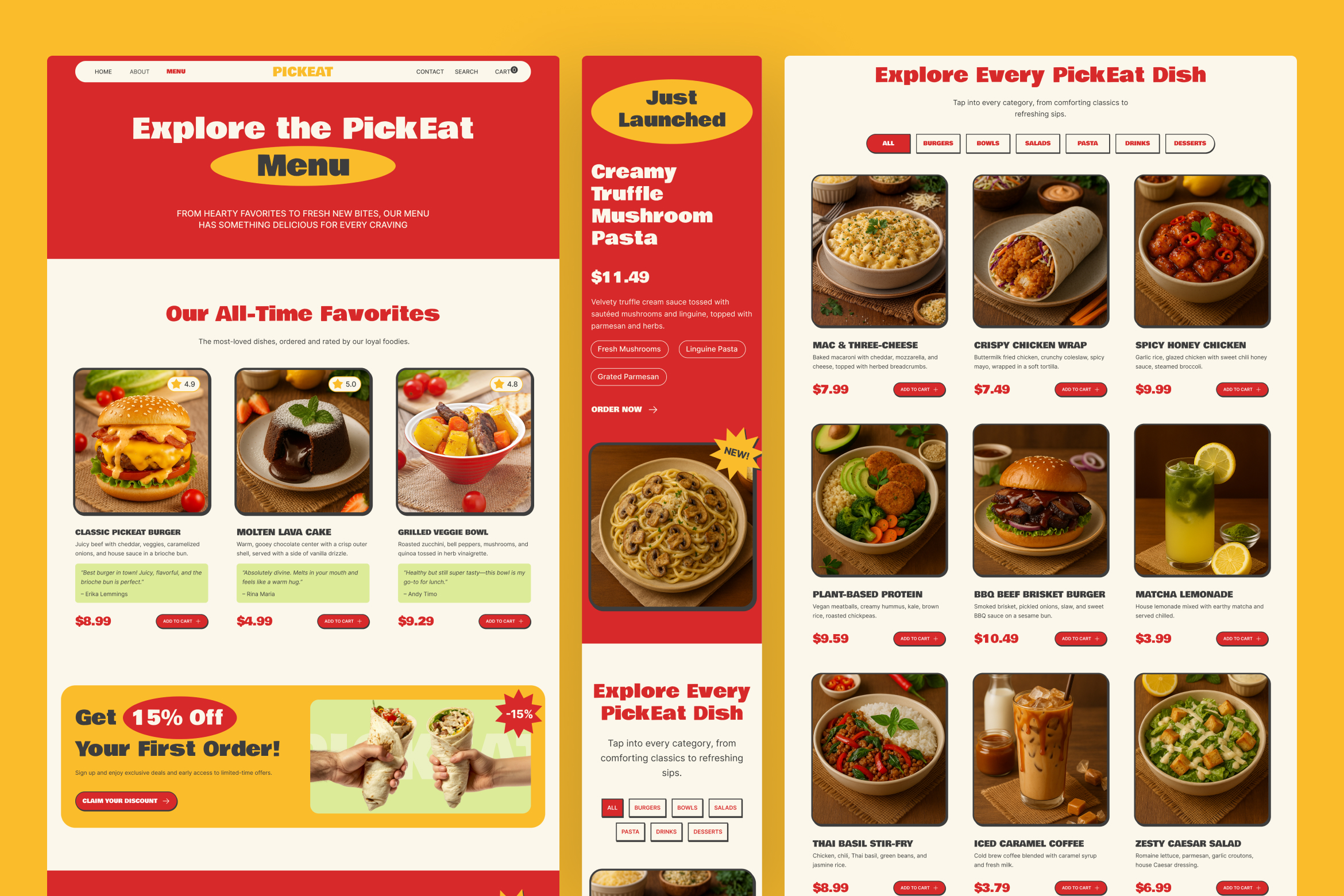
PickEat includes five essential pages and every page is available in both desktop and mobile views. This makes it ideal for real-world ordering behavior, where most customers compare items, check details, and place orders straight from their phone. With ready-made sections for favorites, categories, featured launches, reviews, and store locations, your website can answer key questions quickly: What should I try? What’s new? What’s inside it? How do I order? Where can I find you?
More than a single landing page, PickEat works as a complete foundation you can adapt for dine-in brands, delivery-first kitchens, snack shops, meal-prep services, or even small grocery-style catalogs. Swap imagery, update categories, and customize pricing to match your menu, while keeping the same polished structure.
Design Layout & Style
PickEat blends playful food branding with a clean shopping experience that stays easy to scan and fun to explore:
- Bold, Flavor-Forward Aesthetic: Warm reds and creamy neutrals create a hungry-now first impression.
- Playful Typography Hierarchy: Chunky headings and clear labels keep sections readable and memorable.
- Card-Based Menu Layouts: Product cards make browsing, comparing, and adding items feel effortless.
- Appetite-Led Photography Focus: Large food visuals drive attention and improve perceived quality fast.
- Friendly UI Accents: Badges, stickers, and icons add charm without disrupting usability.
- Smooth Page Flow: Clear CTAs and section pacing guide users from discovery to checkout actions.
Ideal for
This template is ideal for food brands and teams building an online ordering experience:
- Restaurants and quick-service food brands
- Cafés, bakeries, and dessert shops
- Meal-prep and catering services
- Cloud kitchens and delivery-first businesses
- Packaged food retailers and snack shops
- UI & UX design prototyping for food and retail websites in Figma
Key Value Propositions
PickEat is designed to keep customers browsing longer and ordering faster:
- Conversion-Driven Sections: CTAs, promos, and featured items guide clicks toward ordering moments.
- Easy Menu Discovery: Favorites, categories, and filters help users find the right dish quickly.
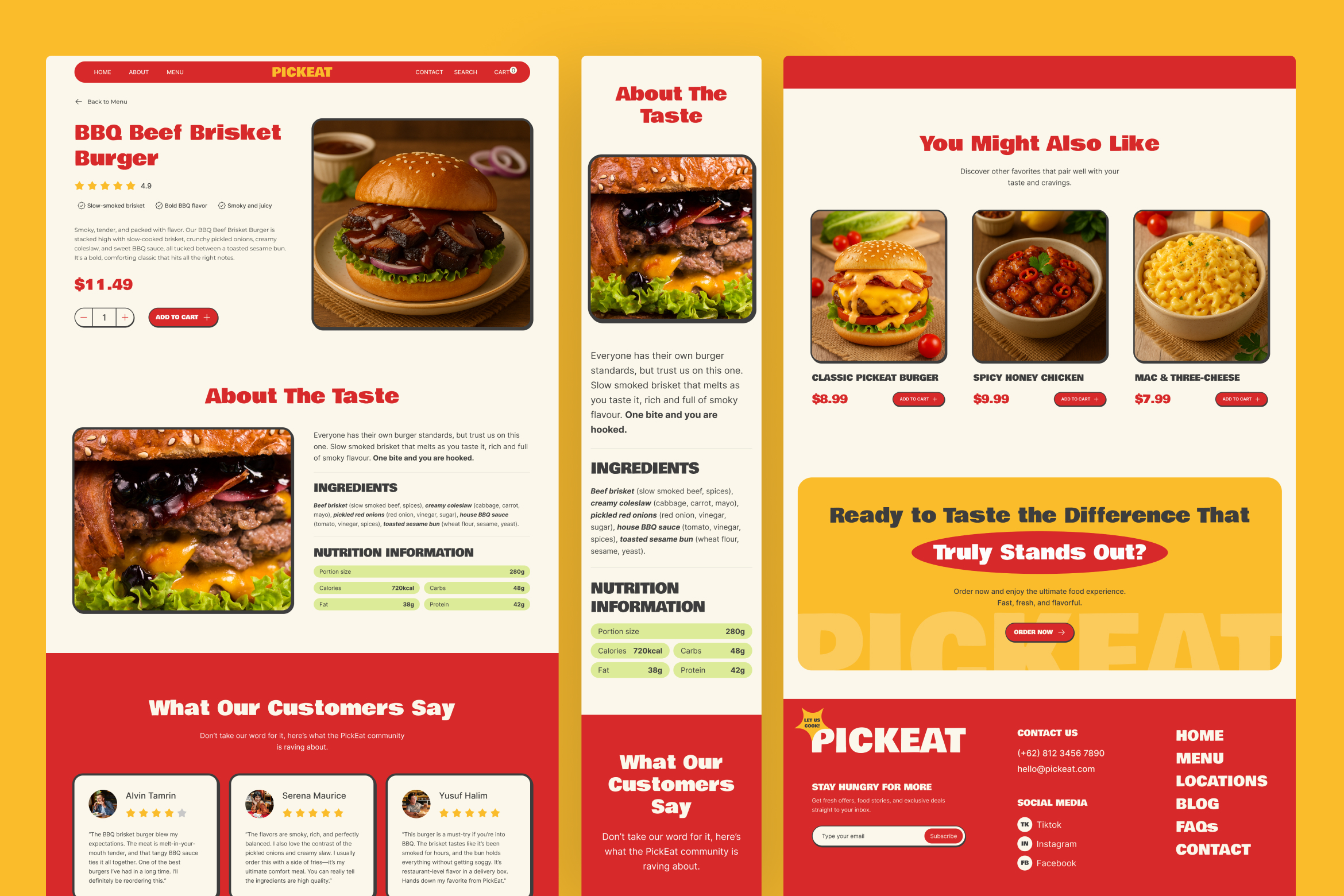
- Detail-Ready Product Pages: Ingredients and nutrition layouts reduce hesitation and build confidence.
- Promotion-Friendly Blocks: Discount banners and “Just Launched” sections support campaigns and seasonals.
- Trust Signals Built In: Ratings, testimonials, and brand story sections strengthen credibility instantly.
- Fast Customization in Figma: Organized layers, components, and consistent styles speed up editing.
Why This Template Works for Food Retail & E-Commerce Websites
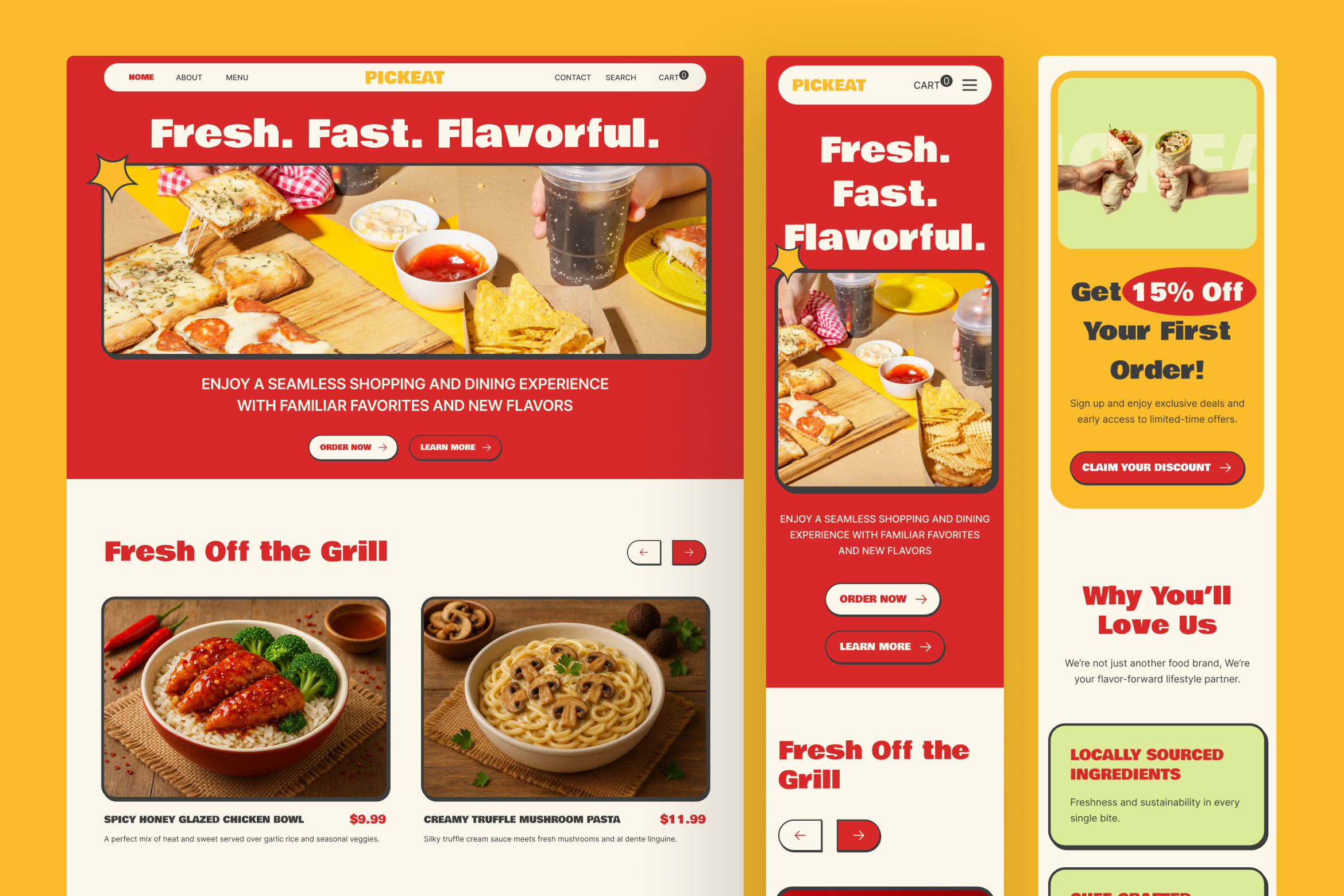
Food websites succeed when they feel tempting, clear, and quick to use and PickEat is built around that exact formula. The homepage creates instant appetite with signature picks, social proof, and a simple “how it works” flow, while the menu page supports quick scanning with category filters and clean product cards.
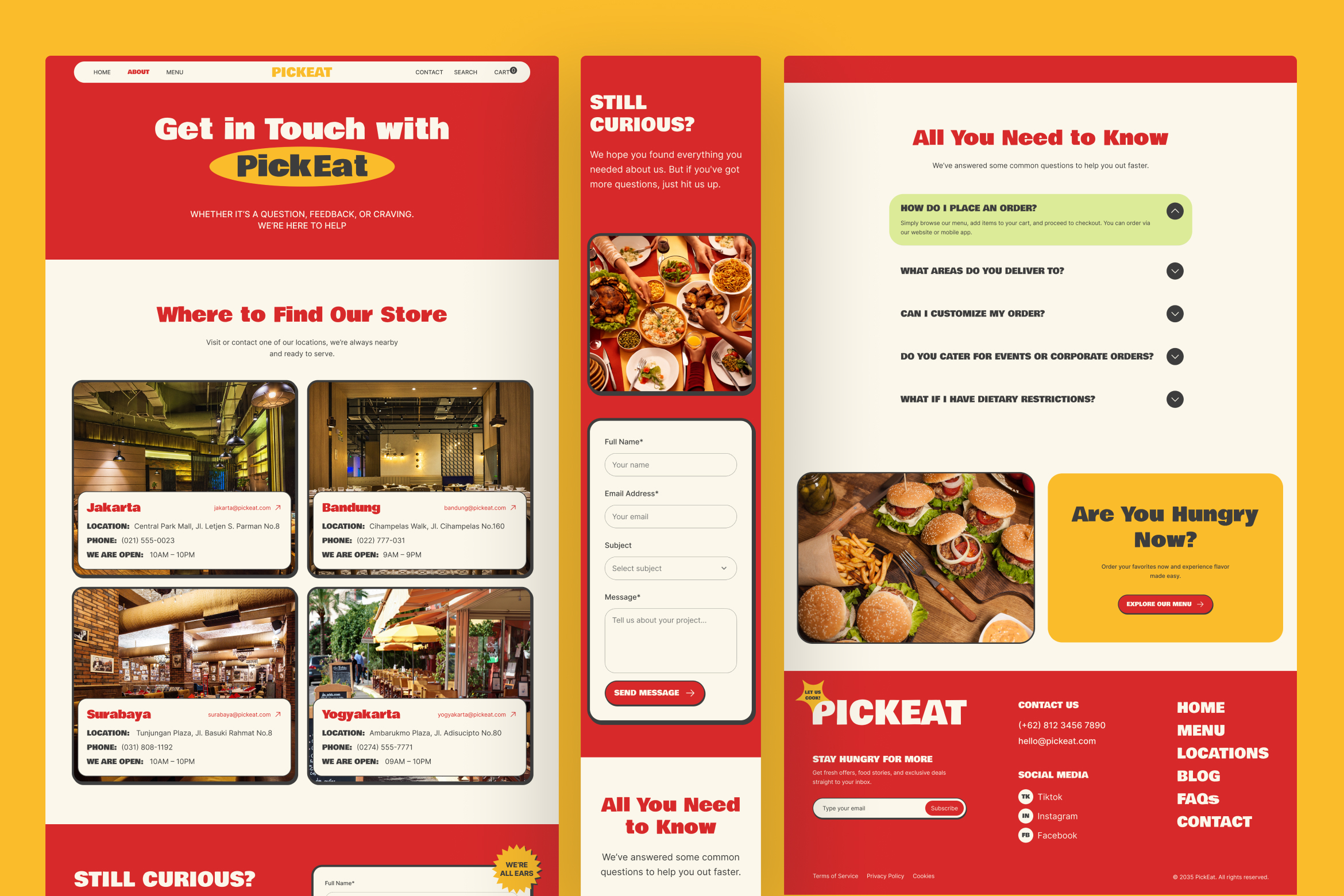
When users want reassurance, the Menu Details page delivers the key decision-makers; clear pricing, taste notes, ingredients, and nutrition. So, ordering feels easy and informed. With a location-focused contact page and helpful FAQs, PickEat also supports customers who prefer pickup, dine-in, or direct store visits.
Pages:
- Homepage
- About
- Menu
- Menu Details
- Contact
Features:
- Desktop & Mobile View
- Designed in Figma
- Bold, Clean, Food-Themed Interface
- Easy to Edit & Customize
- Organized Layers & Components
- Reusable Cards, Buttons, Badges, and Forms
- Free Google Fonts Used
- Fully Resizable Elements
Please Note: All preview images are for display purposes only and are not included in the downloadable Figma file.
Product Specs