

.jpg)
Web Design Trends 2026 Part 2: 6 Emerging Styles Shaping the Year
Stay updated with web design trends 2026, featuring TL;DR experience, 2.5D design, and more, plus useful implementation tips.


Effective footer design ideas can transform the bottom of a webpage into a valuable space for navigation, engagement, and brand credibility. While many websites treat the footer as a simple closing section, thoughtful design can guide users toward key pages, essential information, and meaningful actions before they leave the site.
Smart footer layouts and strategic design choices help visitors quickly find useful links, contact details, and additional resources. Instead of functioning as a purely technical section, a well-planned footer supports the user journey, strengthens brand presence, and encourages deeper exploration across the website.
A well-designed footer plays a crucial role in improving website usability and building trust with visitors. When users reach the bottom of a page, they often expect to find helpful navigation links, contact information, or ways to continue exploring the website without returning to the main menu.
Beyond navigation, the footer also supports engagement and conversion opportunities. Elements such as newsletter signups, social media links, and calls-to-action allow businesses to stay connected with visitors even after they finish browsing the page, making the footer an essential part of modern website design.
Before exploring creative footer design ideas, it’s essential to cover the basics. A good footer serves as a safety net for navigation and information, ensuring users can find what they need even if they skipped the header or sidebar. Here are the core elements every effective footer should include:
These fundamentals ensure your footer is both user-friendly and SEO-friendly. Without these elements, even the most innovative footer design ideas may fail to deliver their full value.
Drawing from current trends, here are several footer design ideas tailored for modern websites. These recommendations blend functionality with creativity, making your site stand out while being easy to implement. Each idea includes tips for execution to keep things practical and digestible.
Simplicity reigns in 2026 footer design ideas. A minimalist footer strips away clutter, focusing on essential elements with ample white space. Use a clean sans-serif font, neutral colors, and subtle icons for social links. This approach works wonders for portfolio sites or blogs where the content should shine.
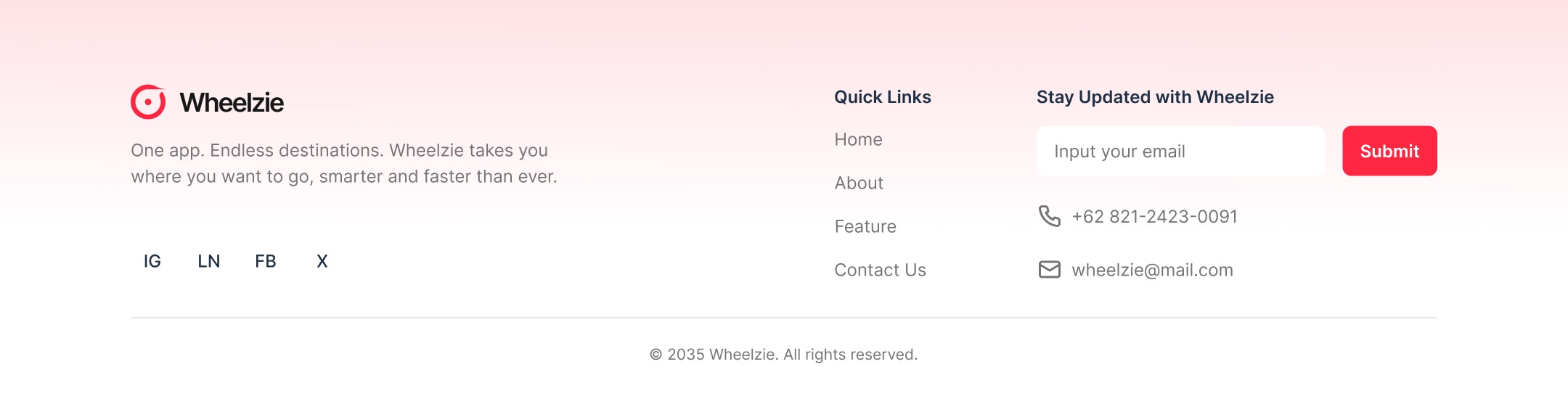
For example, align your logo on the left, followed by a single row of navigation links, and end with copyright info. Add a faint divider line for separation. The result? A footer that feels airy and modern, improving load times and mobile responsiveness. Pro tip: Test on small screens to ensure everything stacks neatly.
If your site has a lot of content, opt for a multi-column footer. Divide information into categories like "Company," "Resources," "Support," and "Connect." This "fat footer" style maximizes real estate without overwhelming users.
Trends lean toward grid-based layouts with bold headings for each column. Include quick links to blog posts, FAQs, or product pages to boost internal SEO. For e-commerce sites, add payment icons or trust badges here. Keep columns balanced, three to five is ideal, to maintain readability.
This design idea is perfect for SaaS platforms, where users might need role-specific links, like admin vs. user resources.
Bring your footer to life with subtle animations. Hover effects on links, a scrolling social feed, or a "back to top" button that smoothly animates upward are popular footer design ideas. These add engagement without distracting from the main content.
For instance, animate social icons to enlarge or change color on hover. Or integrate a live chat bubble in the footer for instant support. Ensure animations are lightweight to avoid slowing down your site, use CSS transitions for efficiency. This idea enhances UX, especially on mobile, where touch interactions feel more natural.
Turn your footer into a conversion tool by centering a newsletter signup. Use a compelling headline like "Stay Updated with Our Latest Insights" followed by a simple form. Personalization is key, offer segmented subscriptions, such as "Design Tips" or "Industry News."
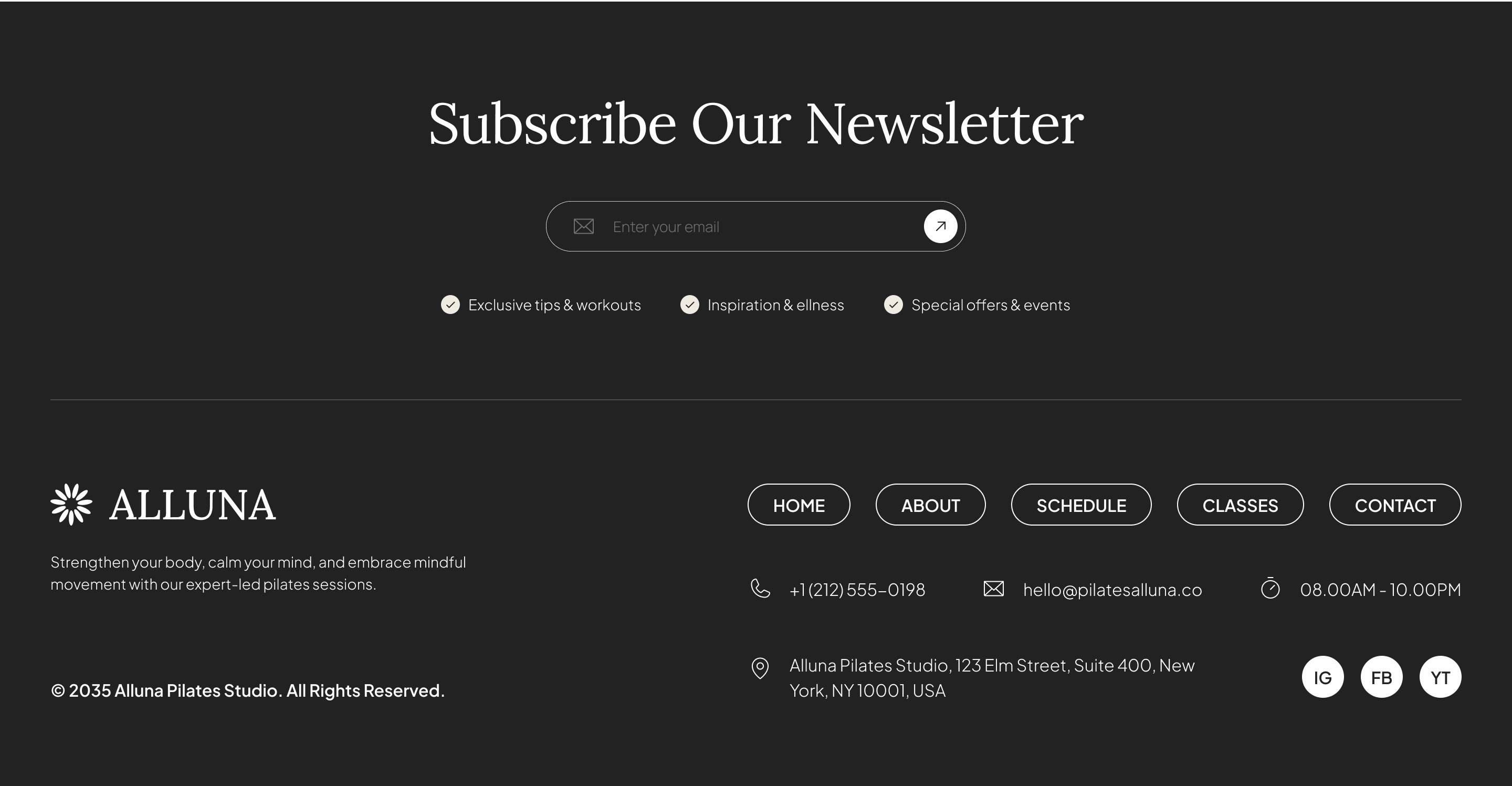
Pair this with social proof, like "Join 10,000+ subscribers." This footer design idea not only captures emails but also reinforces your brand's voice.
Make your brand the star by featuring a large, clickable logo in the footer. Surround it with minimal text and icons for a clean look. This trend in footer design ideas emphasizes brand recall, especially for creative agencies or e-commerce brands.
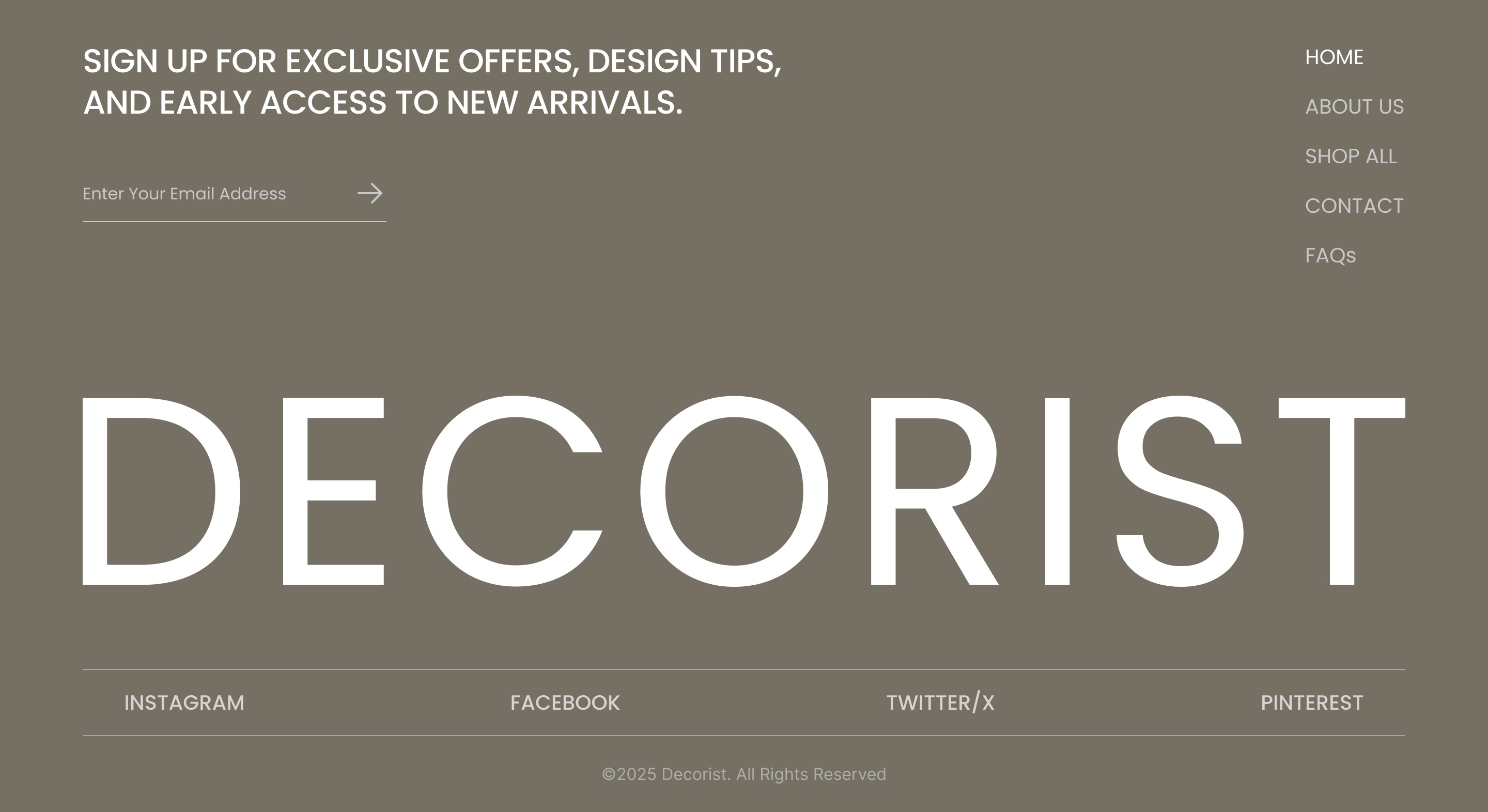
Use contrasting colors to make the logo pop, think a vibrant emblem against a dark background. Add a tagline below for reinforcement. It's simple yet effective for sites aiming for memorability.
Align your footer with your brand's values, like sustainability. Use green tones, eco-icons, or a carbon footprint calculator link. In 2026, themed footers are rising, especially for niche sites like wellness or tech.
Incorporate subtle graphics, such as leaf icons for links, and add a mission statement. This not only differentiates your site but also appeals to conscious consumers.
With mobile traffic dominating, design footers that stick to the bottom on scroll or adapt seamlessly. Use responsive design to collapse columns into accordions on small screens.
Add touch-friendly elements like larger icons and swipeable sections. This footer design idea ensures accessibility across devices, crucial for SEO as Google prioritizes mobile-first indexing.
To implement successful footer design ideas, designers should follow several best practices.
A well-designed footer is more than just the final section of a webpage. It works as a navigation hub, a branding opportunity, and a helpful engagement point where visitors can access important links or contact details. When planned thoughtfully, the footer supports the overall user journey and gives users a clear way to continue exploring the website.
Today, footer design ideas focus on combining practical functionality with modern design approaches. By integrating essential elements with layouts like minimalist structures, organized navigation, or interactive components, designers can create footers that both inform and engage. Strong footer design ideas help websites stand out, improve user satisfaction, and support better search engine visibility.

