

.jpg)
Web Design Trends 2026 Part 2: 6 Emerging Styles Shaping the Year
Stay updated with web design trends 2026, featuring TL;DR experience, 2.5D design, and more, plus useful implementation tips.



Many businesses struggle with common web design mistakes that weaken overall performance. These mistakes often frustrate visitors, reduce engagement, and lower search rankings. Slow loading times, poor navigation, and cluttered layouts are frequent issues. To avoid them, you can deliver smoother, user-focused experiences that build trust and lasting impressions.
Recognizing the common website design mistakes to avoid is crucial for building a site that performs well. These errors go beyond aesthetics and directly influence conversions, visibility, and user trust. A single overlooked detail, like slow loading speed, can push visitors away instantly. As mobile traffic grows, ensuring responsive and user-friendly design has become a critical priority.
The consequences of poor design can be seen in many areas, including:
By recognizing these impacts, you set the stage for deeper insights and actionable strategies that will follow.
Addressing web design mistakes early can save time, money, and credibility. Small missteps, such as cluttered layouts or poor readability, can quickly erode trust. Visitors form opinions within seconds, making first impressions vital. A thoughtful design approach ensures smoother experiences that encourage longer visits and stronger engagement with your content. Let’s address the mistakes to avoid.
One of the most prevalent web design mistakes is failing to optimize for speed. The cause is varied. From Large images, excessive plugins, to unminimized code can slow down your site, leading to higher bounce rates and lower conversions. With users expecting instant access, this mistake can be particularly damaging.
Tips to Improve: Compress images and videos using tools like TinyPNG or WebP formats. Implement lazy loading to defer off-screen content, and regularly audit your site with Google PageSpeed Insights. Aim for a loading time under three seconds to keep users engaged.
Ignoring mobile users is a critical error in today's multi-device world. Non-responsive sites make users zoom and scroll horizontally, frustrating visitors. This poor experience often leads to SEO penalties from search engines, like Google.
Tips to Improve: Adopt a mobile-first approach by using responsive frameworks like Bootstrap. Test your site on various devices and screen sizes with tools such as BrowserStack. Ensure elements like buttons and text scale appropriately for touch interfaces.
Overloading pages with excessive fonts, colors, images, and buttons creates visual chaos, overwhelming visitors and making navigation difficult. This clutter represents one of the web design mistakes, as it distracts from key content and calls-to-action (CTAs).
Tips to Improve: Embrace minimalism by incorporating ample white space to guide the user's eye. Limit color palettes to 3-5 shades and use no more than two fonts. Prioritize essential elements based on user feedback tools like heatmaps to streamline the layout.
Vague CTAs like "Click Here" fail to guide users effectively, reducing click-through rates and conversions. Personalized and clear CTAs perform significantly better. Well-crafted CTAs also build trust by setting clear expectations for the next step.
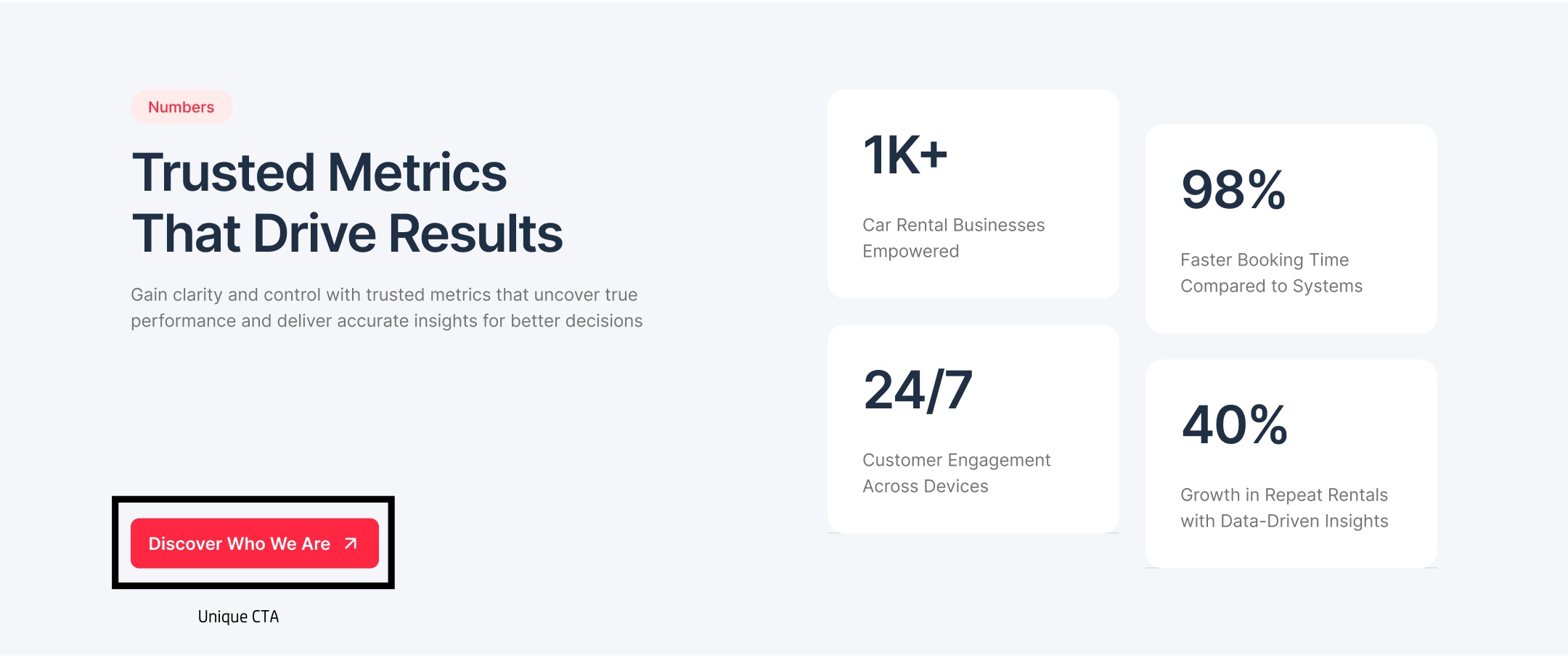
Tips to Improve: Use action-oriented language such as "Get Started Today" or "Shop Now." Place CTAs above the fold in contrasting colors for visibility. A/B test variations to find what resonates with your audience.
Confusing menus or illogical site architecture frustrates users, leading them to leave without exploring further. This is especially true for sites violating design conventions. Poor navigation can also damage credibility, making visitors less likely to return.
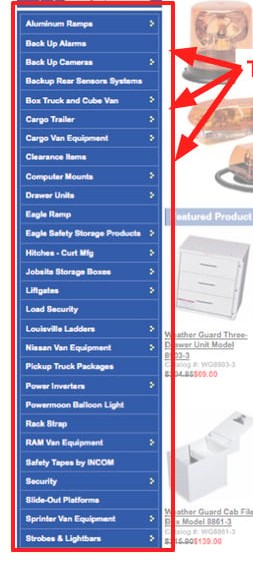
Tips to Improve: Follow the "three-click rule" to ensure users reach any page in three clicks or fewer. Use sticky navigation bars and include a search function. Organize content with clear headings and breadcrumbs for better usability.
Neglecting accessibility means excluding users with disabilities, which not only limits your audience but can also lead to legal issues. Issues like low color contrast or missing alt text are common oversights. Overlooking accessibility in website design can also result in poor user experience for everyone.
Tips to Improve: Adhere to WCAG guidelines by using high-contrast colors (at least 4.5:1 ratio) and adding descriptive alt text to images. Test with screen readers and tools like WAVE. Incorporate keyboard navigation for all interactive elements.
Dense paragraphs without breaks intimidate readers, who often scan rather than read fully. This mistake reduces engagement and information retention. Clear formatting helps readers process content quickly and encourages them to stay longer.
Tips to Improve: Break content into short paragraphs (3-4 lines max), use bullet points, subheadings, and bold keywords. Keep language simple and focused on user benefits.
Sites lacking SSL certificates, contact info, or with broken links erode trust, increasing bounce rates. Visitors quickly doubt credibility when essential trust signals are missing. A poor first impression often prevents users from exploring further pages.
Tips to Improve: Install an SSL certificate and display it prominently. Include an "About Us" page and easy-to-find contact details. Regularly update content and fix broken links using tools like Ahrefs.
Failing to integrate SEO during design, such as poor metadata or unstructured headings, limits visibility in search results. Search engines struggle to understand poorly structured or unoptimized websites. This reduces organic traffic and weakens overall digital marketing effectiveness.
Tips to Improve: Use descriptive titles and meta descriptions. Structure content with H1-H3 tags logically. Optimize images with alt text and create SEO-friendly URLs.
Using PDFs for core content or unoptimized media breaks reading flow and slows performance. Large files increase loading times, discouraging users from staying on your site. Poorly optimized media also consumes bandwidth, creating accessibility challenges for mobile users.
Tips to Improve: Convert PDFs to HTML pages. Optimize media with compression and appropriate formats, hosting videos on platforms like YouTube.
Focus on practical strategies that enhance usability and deliver smoother experiences. Optimize site speed with compressed media and efficient coding practices. Prioritize accessibility by following WCAG guidelines and testing with assistive tools. Ensure responsiveness across devices to provide consistent interactions that support retention and build visitor confidence.
Addressing web design mistakes for better SEO and usability requires continuous attention. Begin with clear navigation structures and streamlined layouts that highlight essential content. Use A/B testing to refine calls-to-action and improve engagement. Collect user feedback regularly, applying insights to create a design that evolves with audience expectations.

