

.jpg)
Web Design Trends 2026 Part 2: 6 Emerging Styles Shaping the Year
Stay updated with web design trends 2026, featuring TL;DR experience, 2.5D design, and more, plus useful implementation tips.
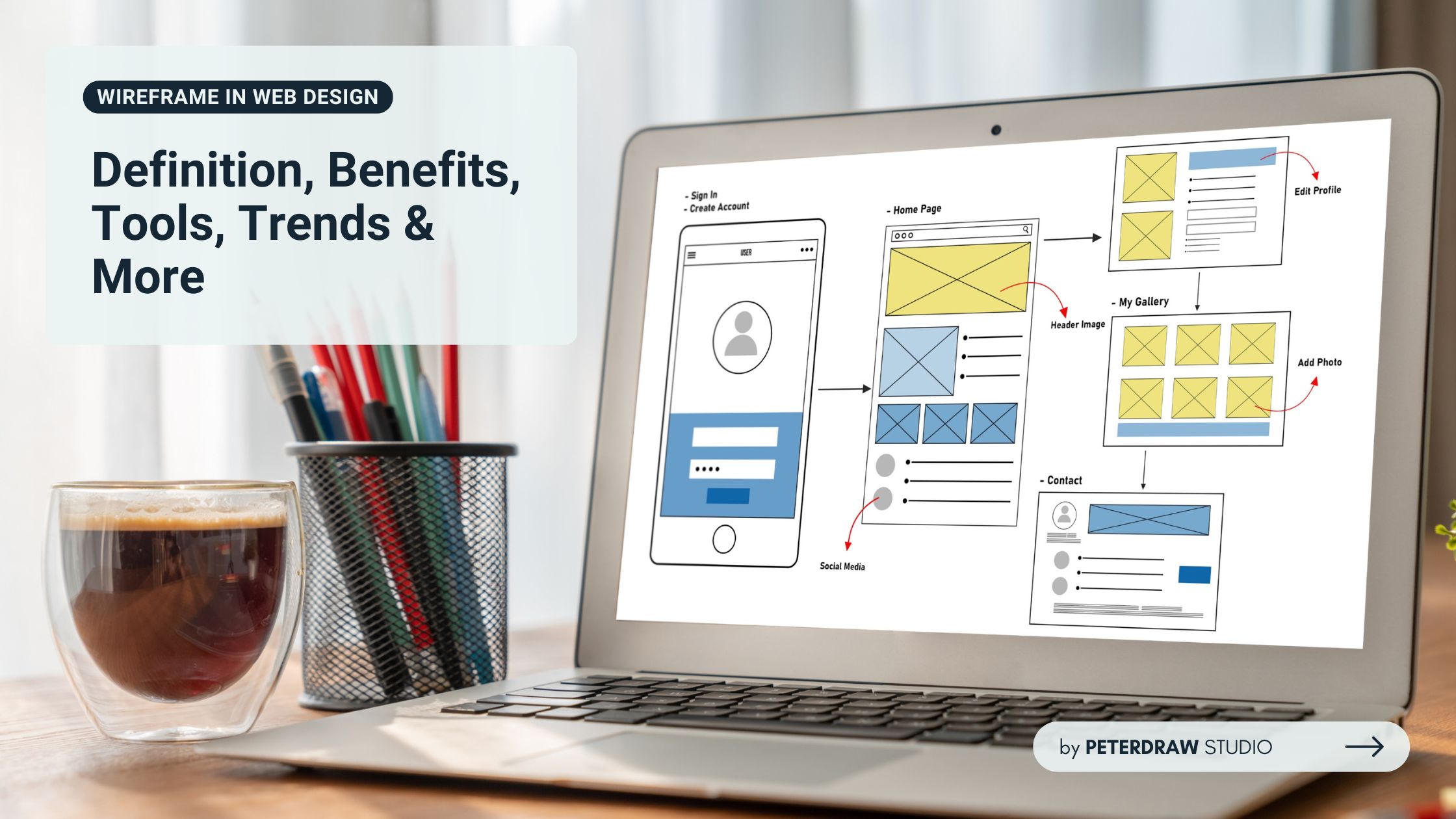


Designing a user-friendly website starts long before colors, images, or animations come into play. At the heart of this planning stage lies the wireframe in web design, a simple yet powerful tool that maps out a site’s structure and flow. It sets the foundation for both layout and user experience.

So, what exactly is a wireframe, and why is it essential for effective web design? Let’s take a closer look.
A wireframe in web design is a simplified visual representation of a webpage or app interface, outlining its structure, layout, and functionality without focusing on aesthetic details like colors, fonts, or imagery. Often created in grayscale using basic shapes, wireframes serve as a blueprint to guide the design and development process.
According to DesignRush, wireframes map out core elements like navigation and content blocks, aligning page flow with user intent before aesthetics are considered. Meanwhile, the purpose of wireframing in web design is multifaceted.
Not all wireframes are created equal in the web design process. They evolve in detail as the project moves from idea to execution. Each type supports specific goals, from brainstorming to developer handoff stages. Understanding the types of wireframes in web design ensures smarter design decisions ahead.
In the early stages of web design, wireframes lay the groundwork for smarter decisions. They provide clarity by stripping away distractions and focusing purely on structure and flow. This foundational approach helps shape a stronger, more intentional user experience from the start. Let’s explore why integrating wireframing in web design is a game-changer for any team.
Choosing the right tool can make wireframing more efficient and user-friendly. Different tools offer unique features based on fidelity, workflow, and collaboration needs. Many options exist, each tailored to specific project goals and team preferences. Explore these top tools used to create a wireframe in web design today.
The role of wireframes has grown far beyond simple sketches and static layouts. As design tools advance, so do the expectations for what wireframes can communicate. Modern teams rely on smarter, faster methods to plan and validate digital experiences early. The evolution of the wireframe in web design reflects a shift toward innovation and inclusivity, including these new trends.
AI-Assisted Wireframing: Tools like Uizard and Figma’s AI plugins generate wireframes from text or sketches, accelerating the process.
Collaborative Platforms: Cloud-based tools like Figma and Miro enable real-time collaboration and version control.
Component-Based Wireframing: Reusable UI components ensure consistency with frameworks like React or Vue.
Accessibility Focus: Wireframes incorporate accessibility features, such as keyboard navigation and screen reader compatibility, from the start.
Increased Interactivity: Interactive wireframes, resembling prototypes, enhance stakeholder understanding of user flows.
Even with the best tools and planning, creating a wireframe in web design comes with its own set of obstacles. These challenges can lead to delays, confusion, or misaligned expectations if not addressed early. Fortunately, simple strategies can help teams overcome these hurdles and keep the project moving forward smoothly.
It’s easy to get carried away by adding too much content too soon. This can distract from the purpose of early-stage wireframes, which is to define layout and structure.
Solution: Stick to low- or mid-fidelity designs early to focus on structure and user flow.
Wireframes can mean different things to different people, leading to design or development gaps. Misunderstandings can slow progress or lead to rework.
Solution: Use clear annotations and involve developers in reviews to align expectations across the team.
Designing only for desktop can limit usability and overlook mobile-first needs. This results in extra work or flawed layouts during later development.
Solution: Create wireframes for multiple breakpoints from the start to ensure a responsive design.
Clients sometimes expect polished visuals and misinterpret wireframes as final designs. This can cause confusion or dissatisfaction with the design direction. Solution: Educate clients that wireframes are not final designs and explain their role in the overall process.
As the foundation of any digital interface, a wireframe in web design brings clarity, direction, and purpose to the creative process. From idea to execution, wireframes ensure teams stay aligned and user needs are prioritized. Embracing wireframing leads to better collaboration, smoother development, and more impactful websites, making it a vital step in modern web design.

